
Copy Google Drive folders and files from reusable templates
Tired of manually duplicating folders and files in Google Drive?
Stop copying, renaming, and rebuilding the same folders by hand for every client, project, and onboarding. FolderPal generates complete Google Drive folder and file structures from reusable templates, without scripts or spreadsheets.
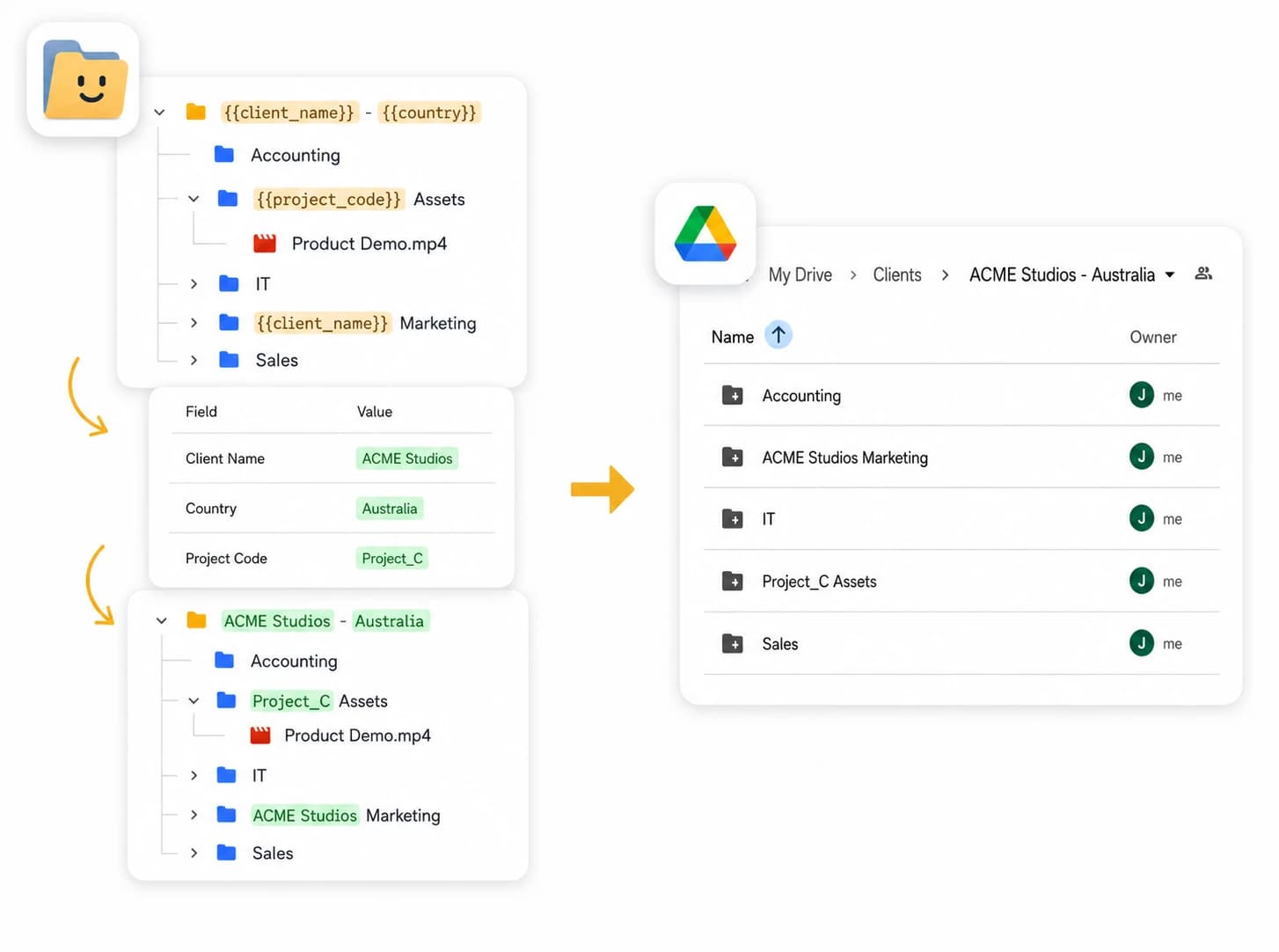
Build, customize, and generate Drive folders
One-click generation
Build a folder and file structure in the visual editor, then generate it in My Drive or a Shared Drive.
Smart file cloning
Formats come across untouched. Sheets stay Sheets, Word docs stay Word docs.
Dynamic merge fields
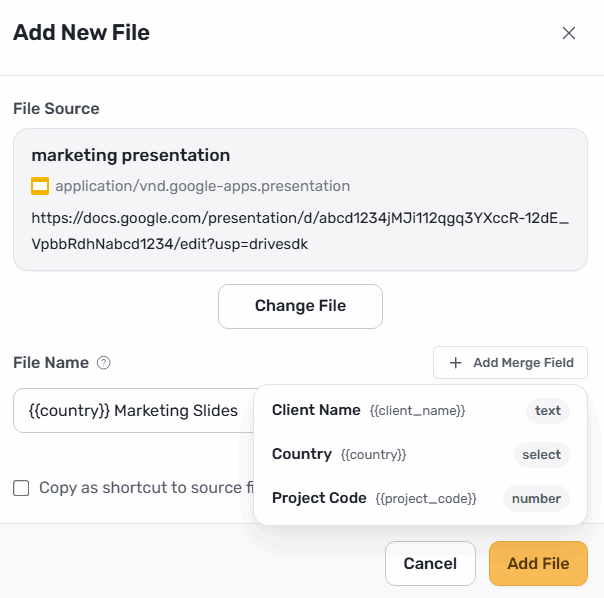
Personalize folder and file names with reusable merge fields.
Share with anyone
Set permissions and roles per template or per generation. You choose who gets notified.

Copy an entire Google Drive folder, including files
Pick your folder, where you want it to go, and FolderPal deeply copies all folders (and files) for you.
- Works between My Drive and Shared Drive
- File names and file formats are preserved exactly
- Preview your folders + files and make edits in one place
- Customize sharing permissions in the new folder
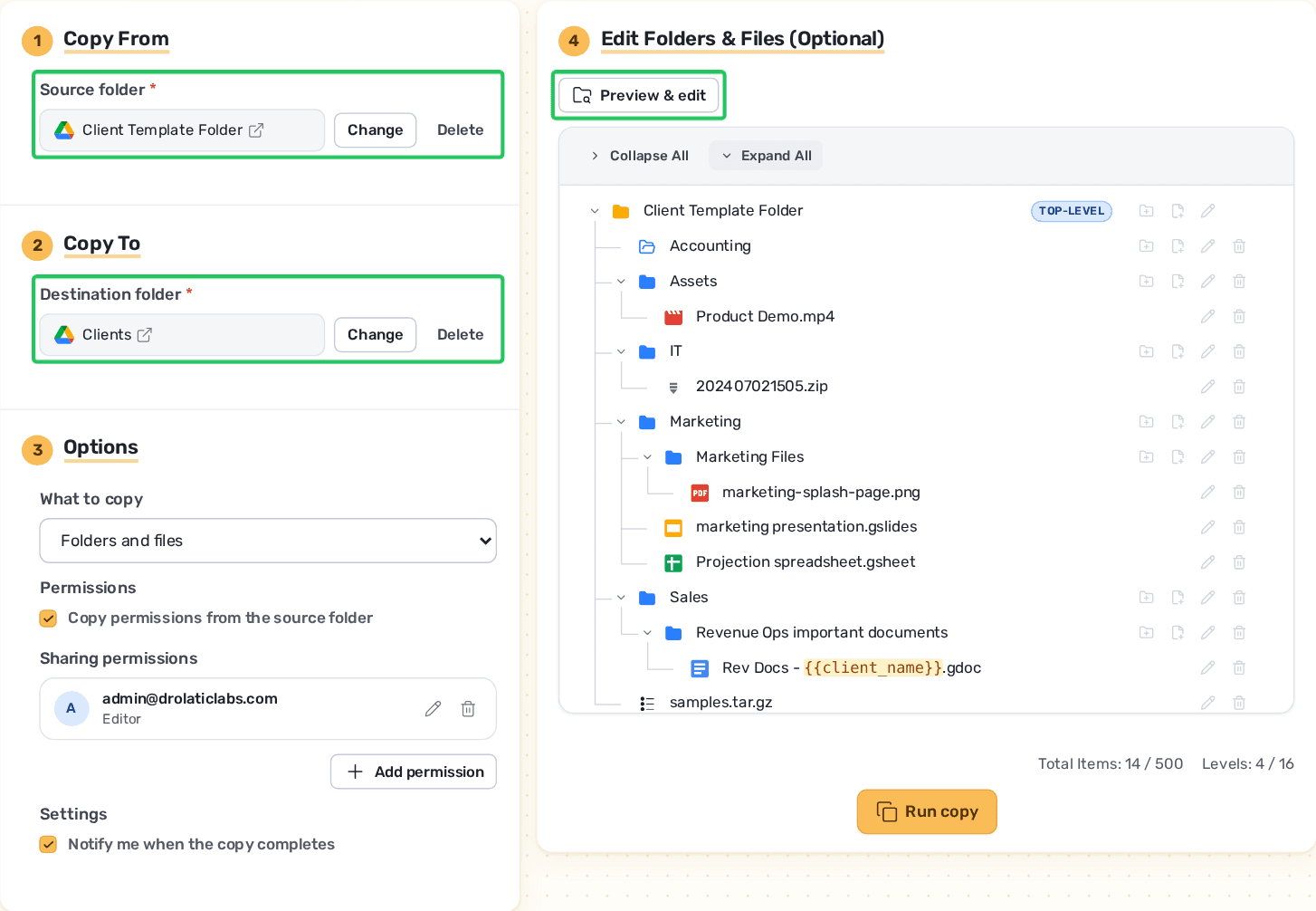
Build a template, or import one from Drive
Already have a folder structure that works? Import it as a reusable template instead of rebuilding it. Or start fresh and pick exactly which folders and files to include.
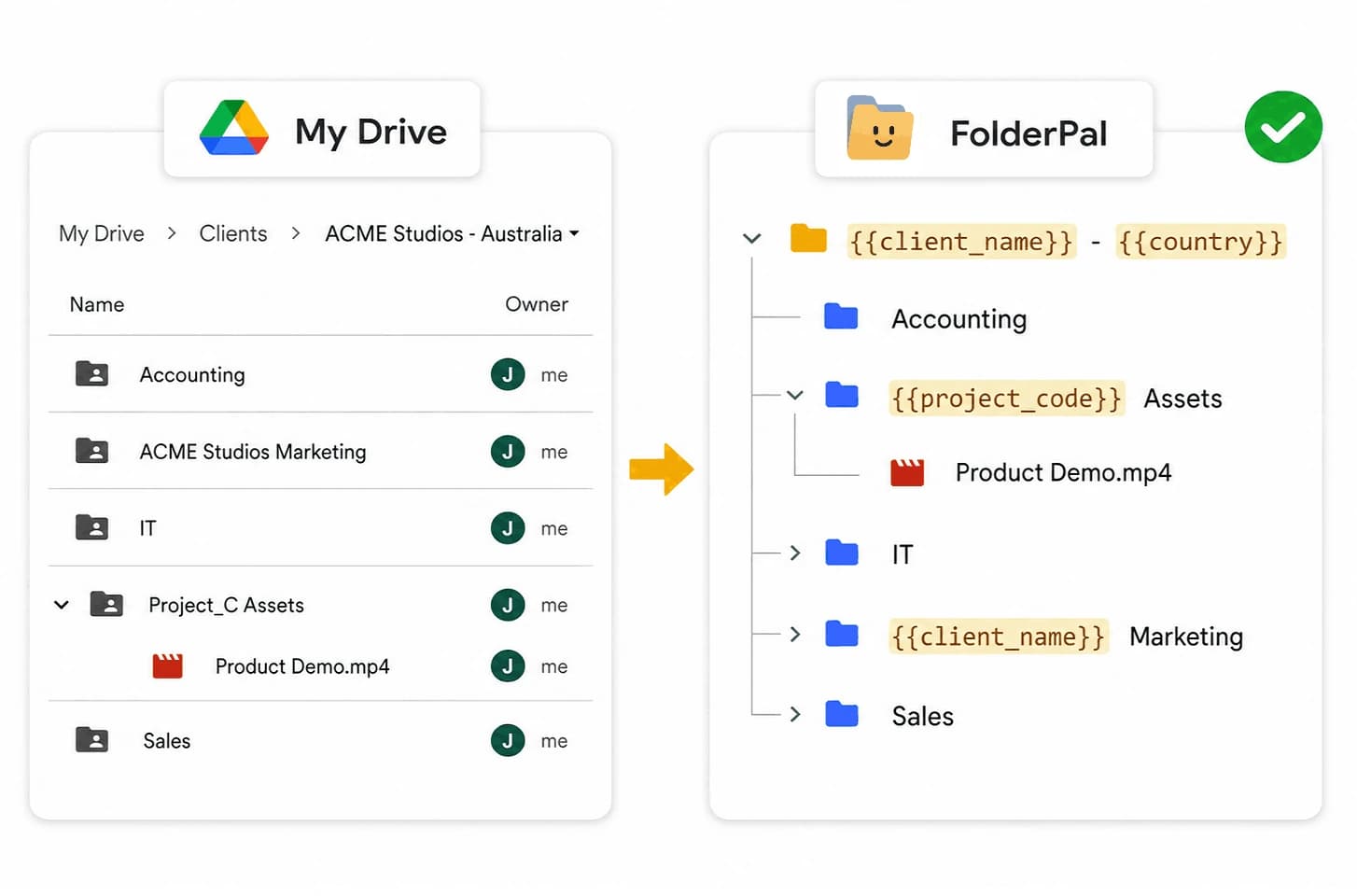
Set the structure up once, reuse it forever
Design the folder blueprint once, then generate it in Drive whenever you need it.
- Nest folders and files as deep as you need
- Reuse across projects, clients, and onboarding
- Copy files in full, or as shortcuts to the original
- Share with your team or external users
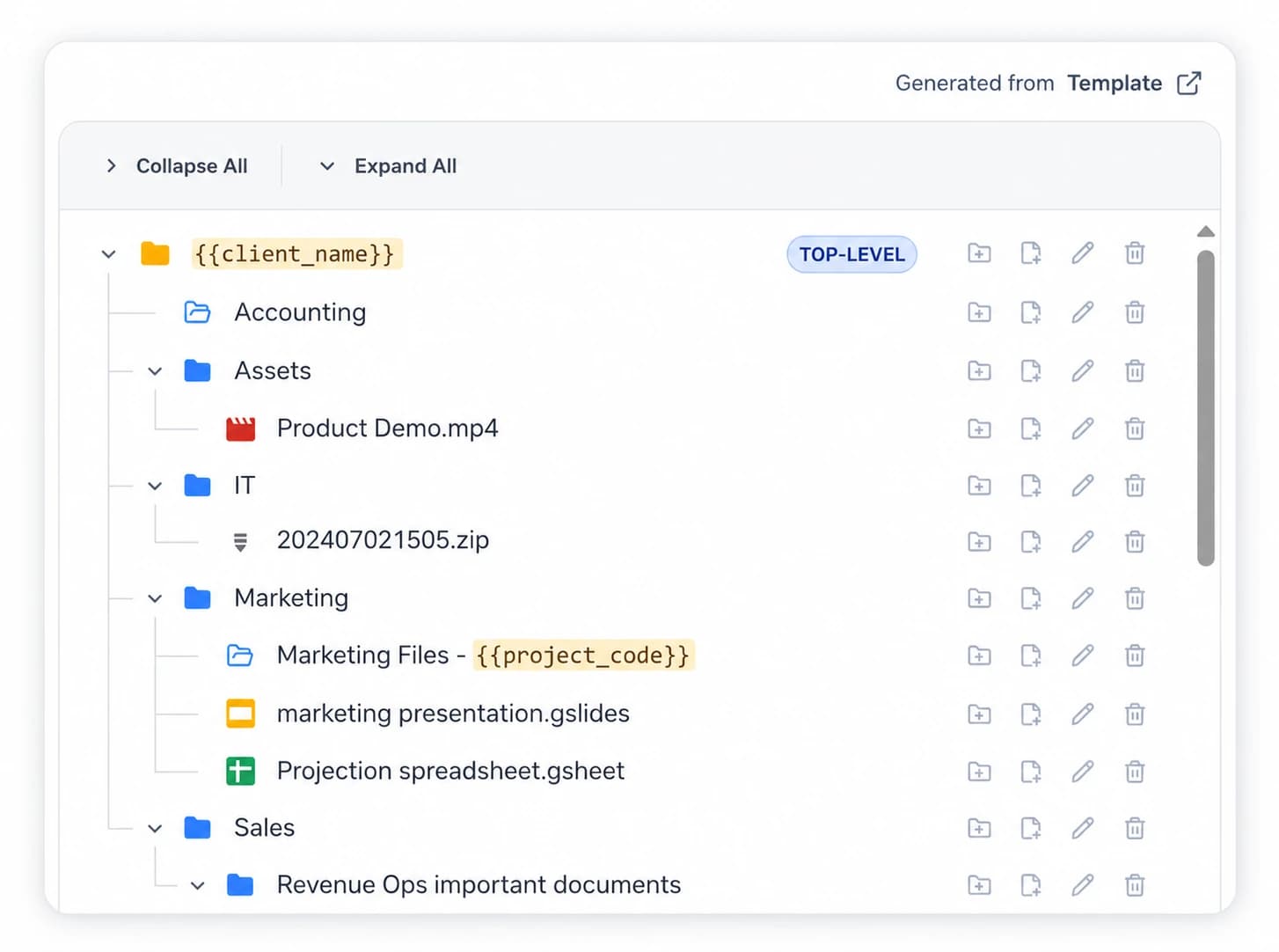
Name folders and files with merge fields
Drop merge fields into folder and file names. Fill them in when you generate, and every name updates itself.
See how it works
Build a template, customize it, and generate a full folder structure — in just a few clicks.
Connect to your existing workflows
API access
Connect FolderPal to the tools and workflows you already run.
Bulk creation
Create folders in bulk from a CSV file or the Bulk API.
Get notified
Email notifications and webhook events when folders are created.
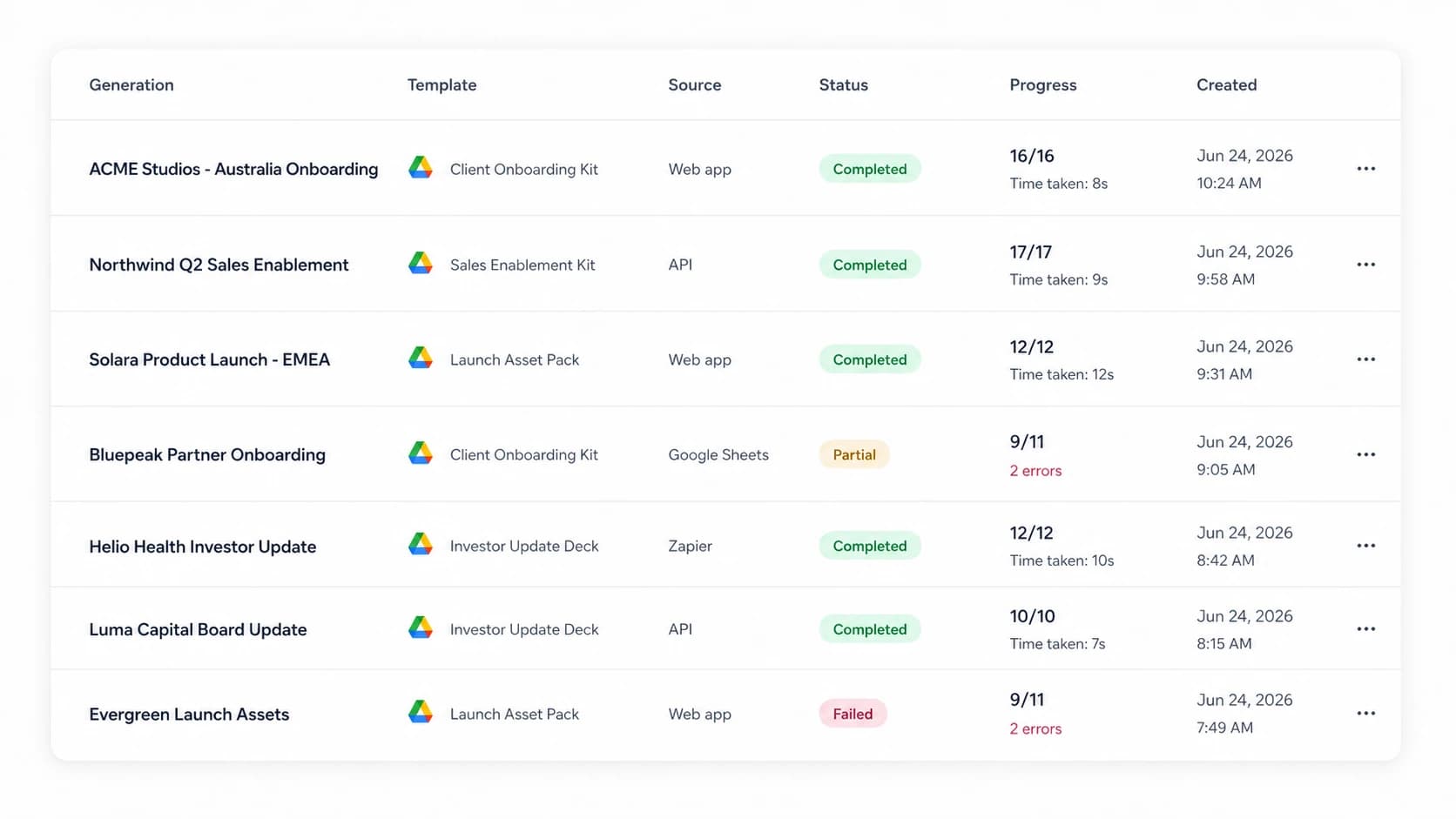
Every run, in one place
Full visibility into every copy and every generation.
- Complete history of every run
- Audit and replay past generations
How FolderPal uses Google Drive access
FolderPal uses Google OAuth to create your account and connect to your Google Drive. We request access to your Google Drive so we can read folder and file metadata and create new items. File contents are never accessed or stored.
FolderPal will never edit or delete your existing folders or files. You may disconnect and revoke all permission grants and scopes at any time. FolderPal is independently assessed at CASA Assurance Level 1 (AL1, formerly Tier 2). Read our Privacy Policy for more details on how we handle your data.